
Verify a priest’s standing live
Anyone can verify a priest’s faculties with one tap.
- Celebrant nameThe card holder, exactly as enrolled by the chancery.
- Home dioceseThe issuing chancery — the sole source of truth for a priest’s standing.
- NFC tap pointThe contactless indicator (NTAG424); held to a parish phone to verify.
- Priest IDThe priest’s permanent number in the diocesan register — the reference a chancery clerk asks for on the phone. It survives renewal; the card does not.
- HelpdeskTechnical questions — a chip that will not read, a card to replace. Questions about celebrating go to the chancery.
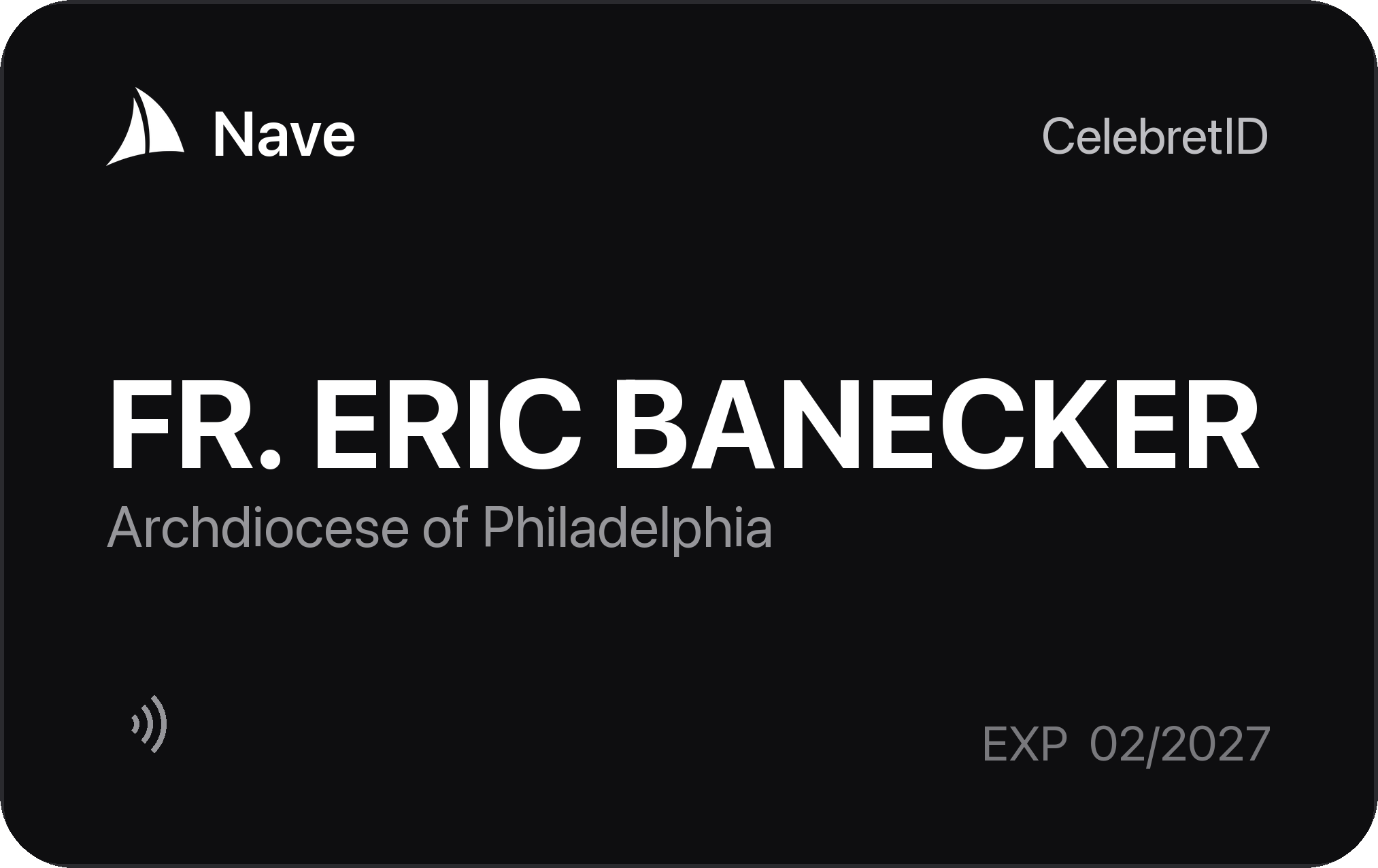
- CelebretIDThe credential type: a celebrant's digital celebret.
- ExpiryPrinted for reference; enforced live at every tap.
- PortraitThe chancery’s file photograph, so the priest at the door can be matched to the credential presented.
Send Priest Celebrets To Another Diocese
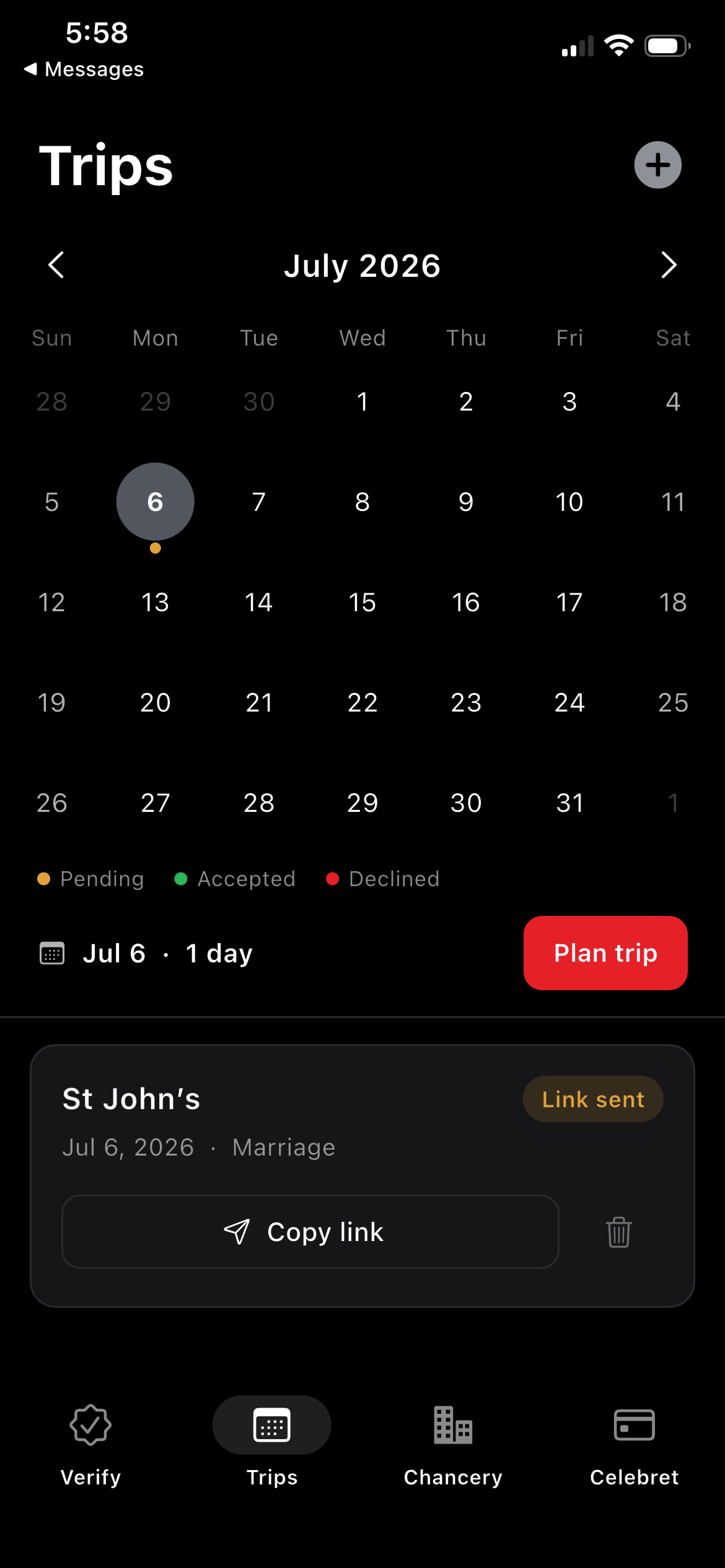
- Add tripOpens the planner to enter host parish, dates, and sacraments.
- Trip cardA planned visit with its live status badge, the confirming party, and “Send to parish”.
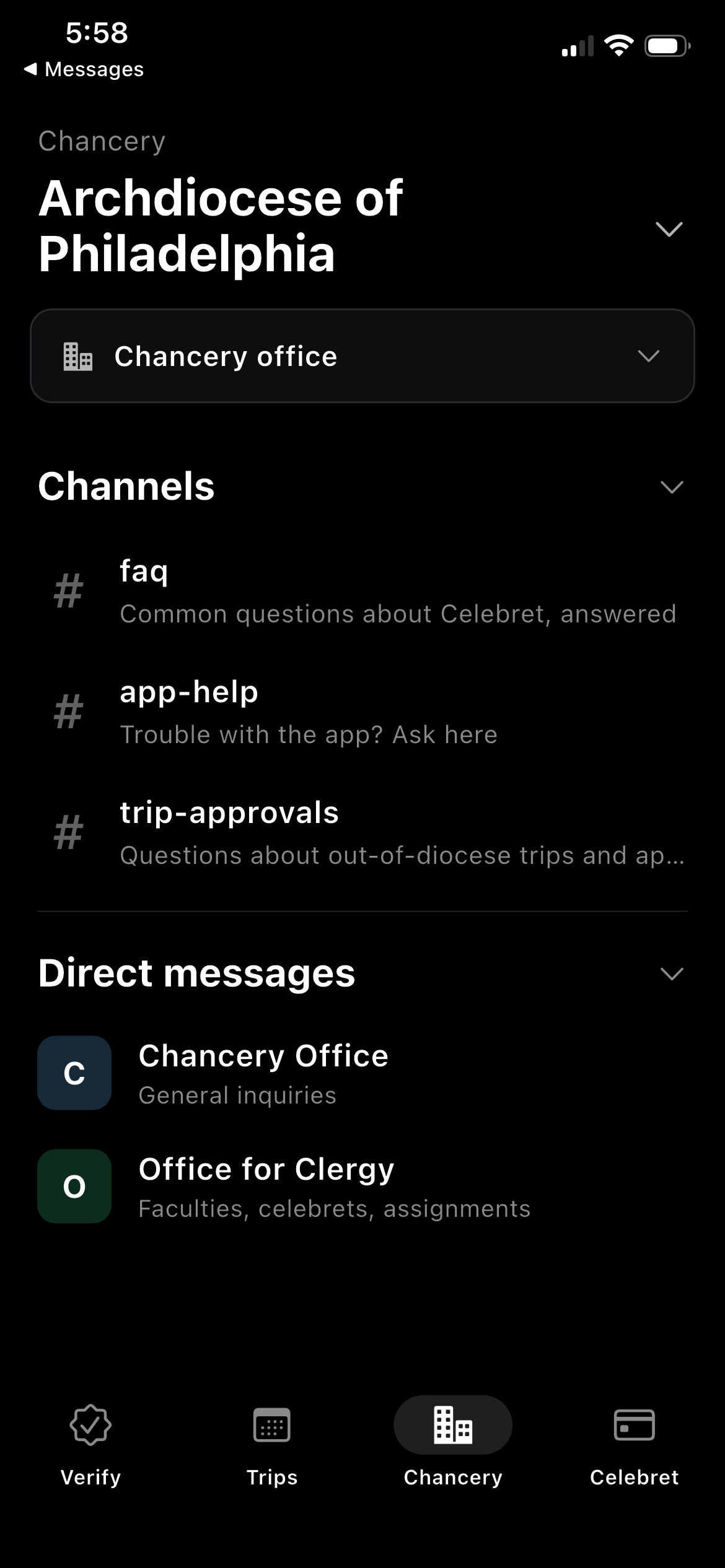
- Ask your chanceryQuestions about celebrating — faculties, a trip, an approval — go to the office that decides them, in channels every enrolled priest can read.
- Ask our helpdeskAnything technical — a card that won’t read, a code that didn’t arrive — comes to Nave by direct message.
The Priest’s Tools For Travel
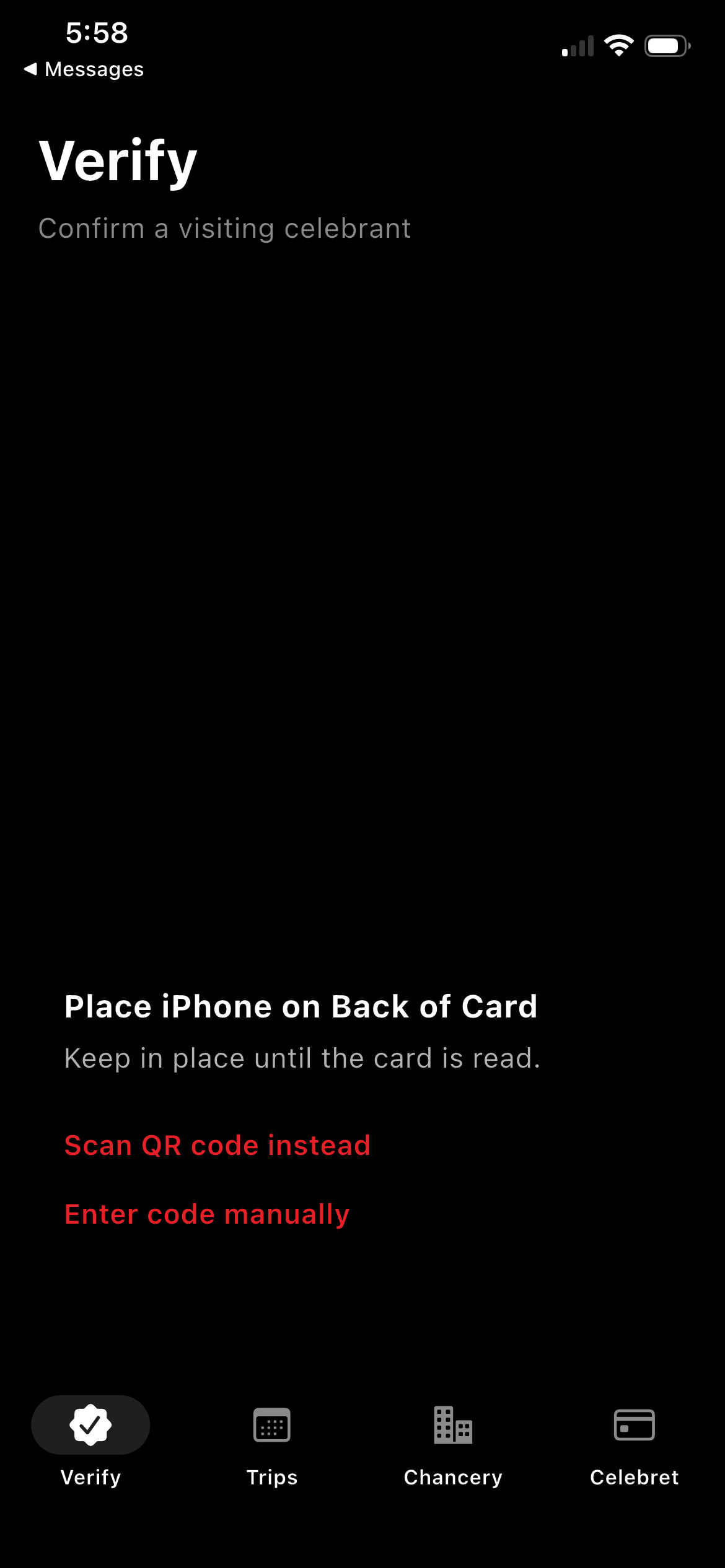
- Tap the card to verifyPlace the celebrant’s CelebretID behind the top of the phone to begin — live standing arrives from the issuing chancery in about a second. No training, no account.
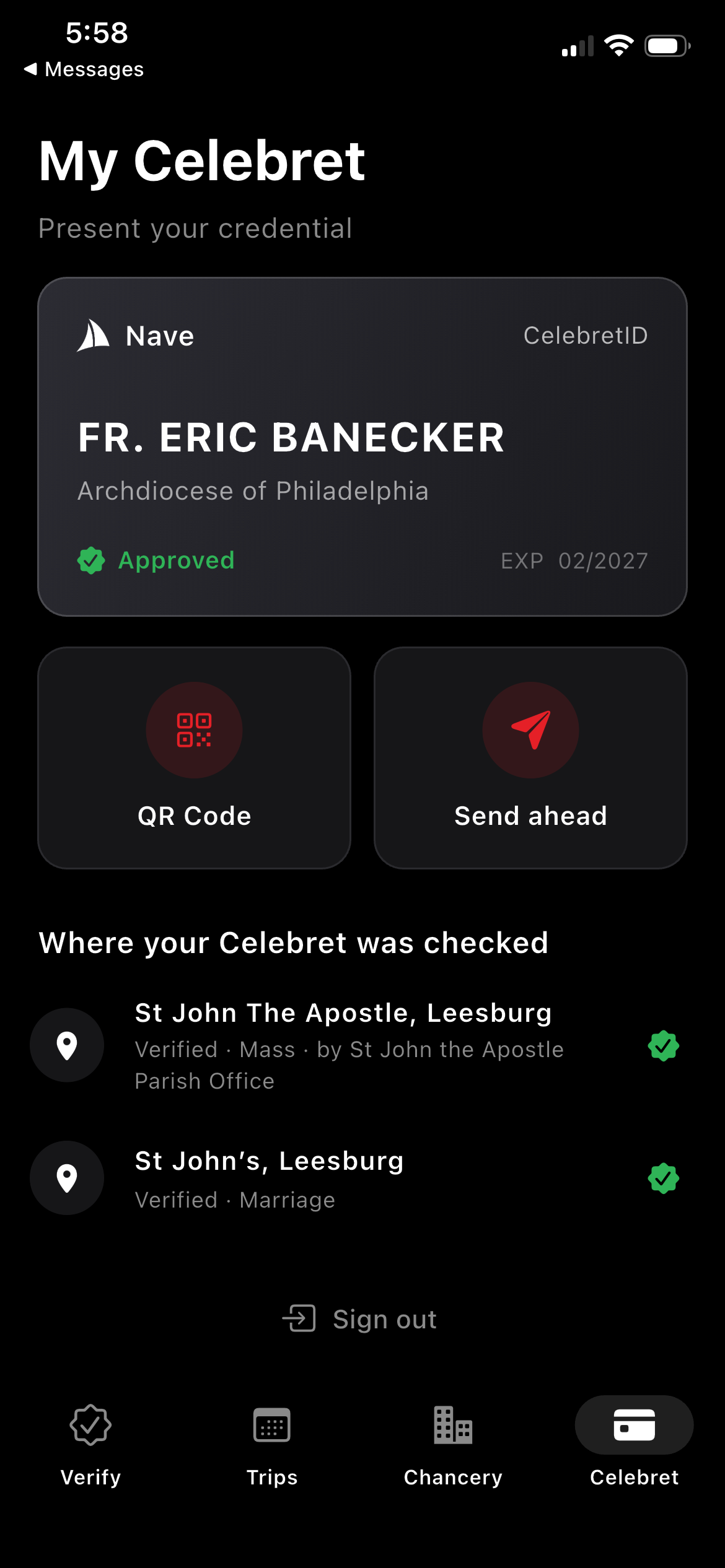
- The credential cardName, home diocese, live standing, and expiry — the digital face of the CelebretID, synced from the chancery roster.
- QR CodeOpens the presentation sheet: a rotating single-use QR with the 6-digit manual code beneath it, on a Nave-red glow.
- Send aheadOpens a share sheet previewing the card itself, with Copy · Messages · Mail shortcuts — "Send to a parish outside your diocese to confirm Celebret."
- Where your Celebret was checkedThe priest’s own verification history — place, occasion, who confirmed, and the live status badge. Private to the priest and the chancery.
Summary
- ApprovedThe visit is cleared and the celebration may proceed. Either the receiving diocese honored the home bishop’s seal by default — the ordinary case under c. 903 — or a chancery that requires approval has given it.
- Awaiting recipient actionThe priest has sent the link, and the host parish has not yet opened it and confirmed the visit.
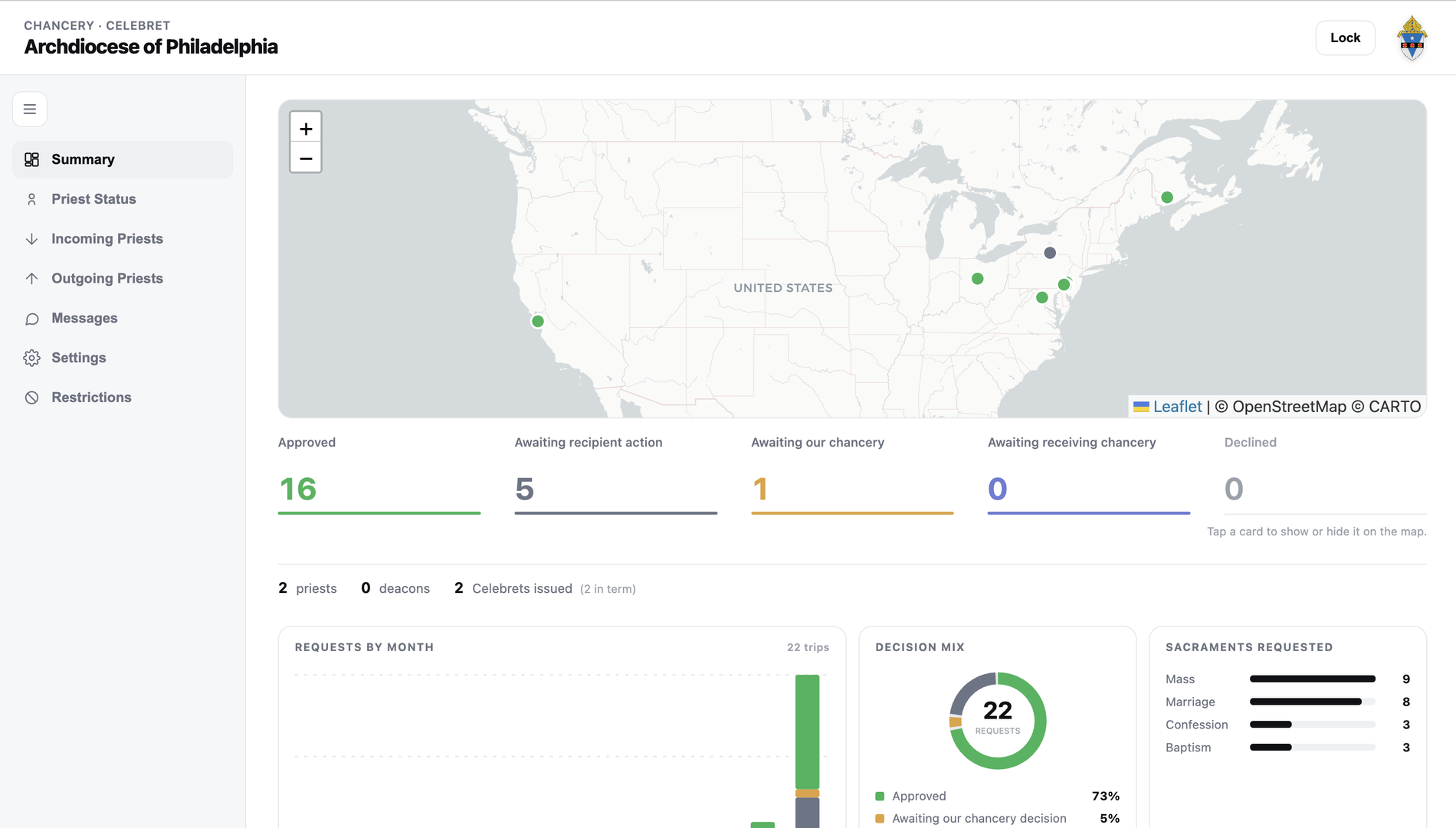
- Awaiting our chanceryA parish has confirmed, and the request is on your desk.
Priest Status
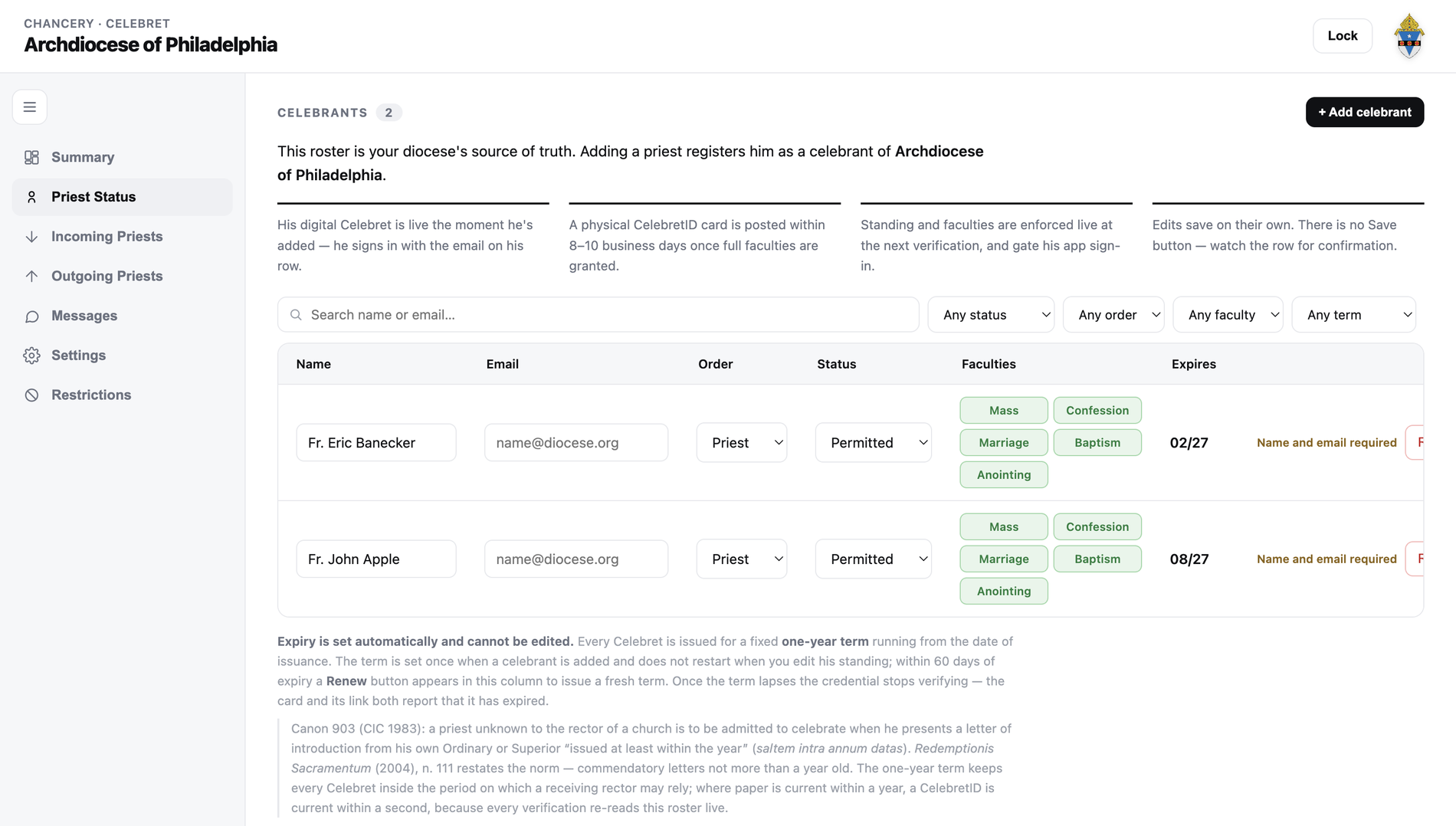
- Every celebrant of the diocese is entered here+ Add celebrant registers a priest of this diocese by name and the email on file. The digital Celebret is live the moment the row saves — sign-in is a code sent to that address — and the physical CelebretID card is posted within 8–10 business days once full faculties are granted.
- Let’s talk cyber securityPassive. The rules deny every client outright — no app, no browser, no signed-in user reads this table. Nothing in the public API returns a roster, so a stolen key cannot enumerate your presbyterate. TLS in transit, encrypted at rest.Active. Every read passes the server behind your chancery’s own key.
Diocesan rules
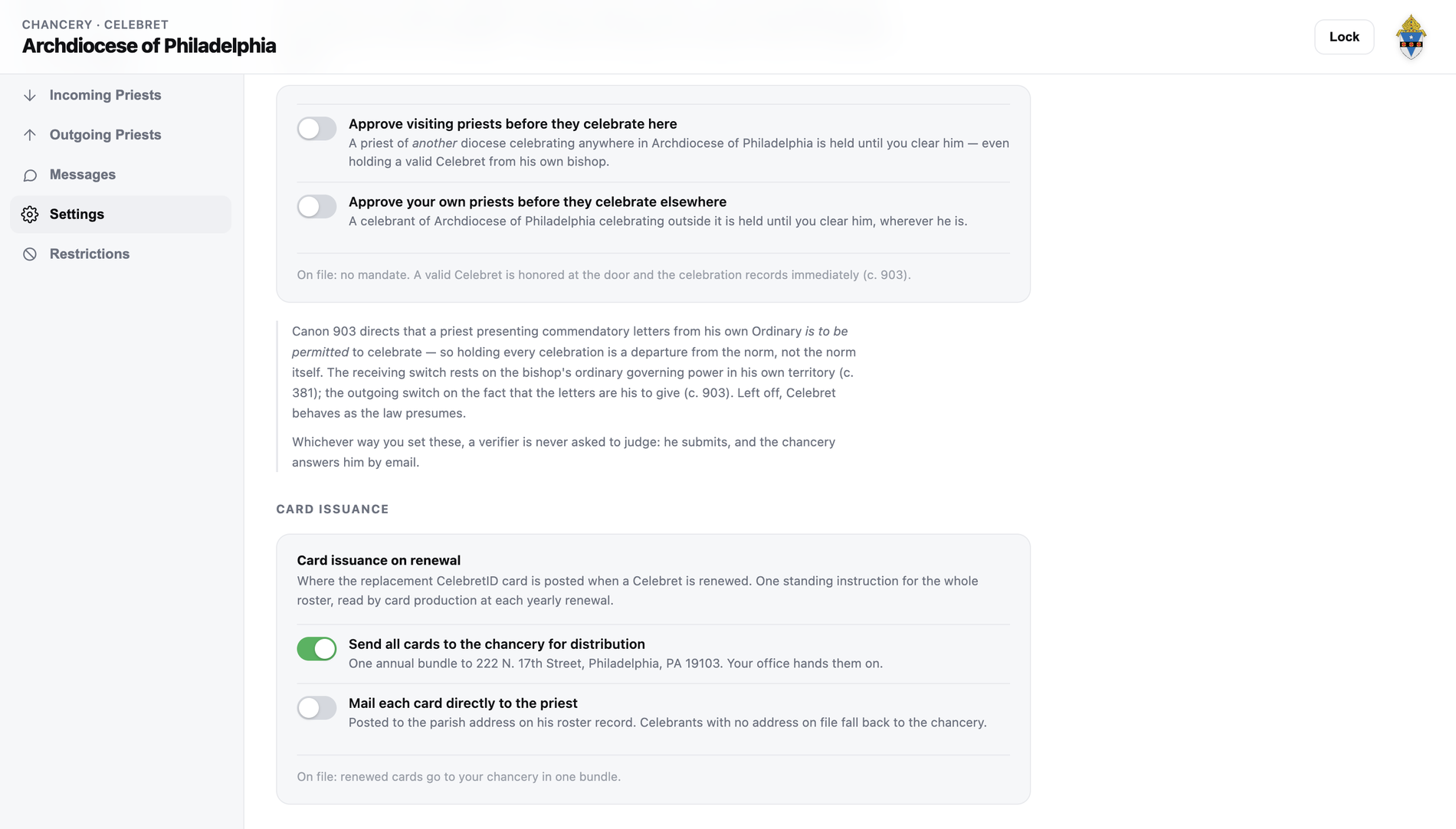
- By default, a brother bishop’s seal standsBoth switches ship off. A priest presenting a valid Celebret from their own Ordinary is admitted at the door and the celebration records immediately — which is what canon 903 directs. Holding a celebration is the departure from the norm, not the norm itself.
- Or hold priests coming inSwitched on, every priest of another diocese is held until your chancery clears them — even holding a valid Celebret from their own bishop. This is the receiving bishop’s ordinary governing power in his own territory (c. 381).
- And your own priests going outSwitched on, a celebrant of this diocese is held wherever they travel until you clear them. The commendatory letters are yours to give (c. 903), so the switch is yours too.
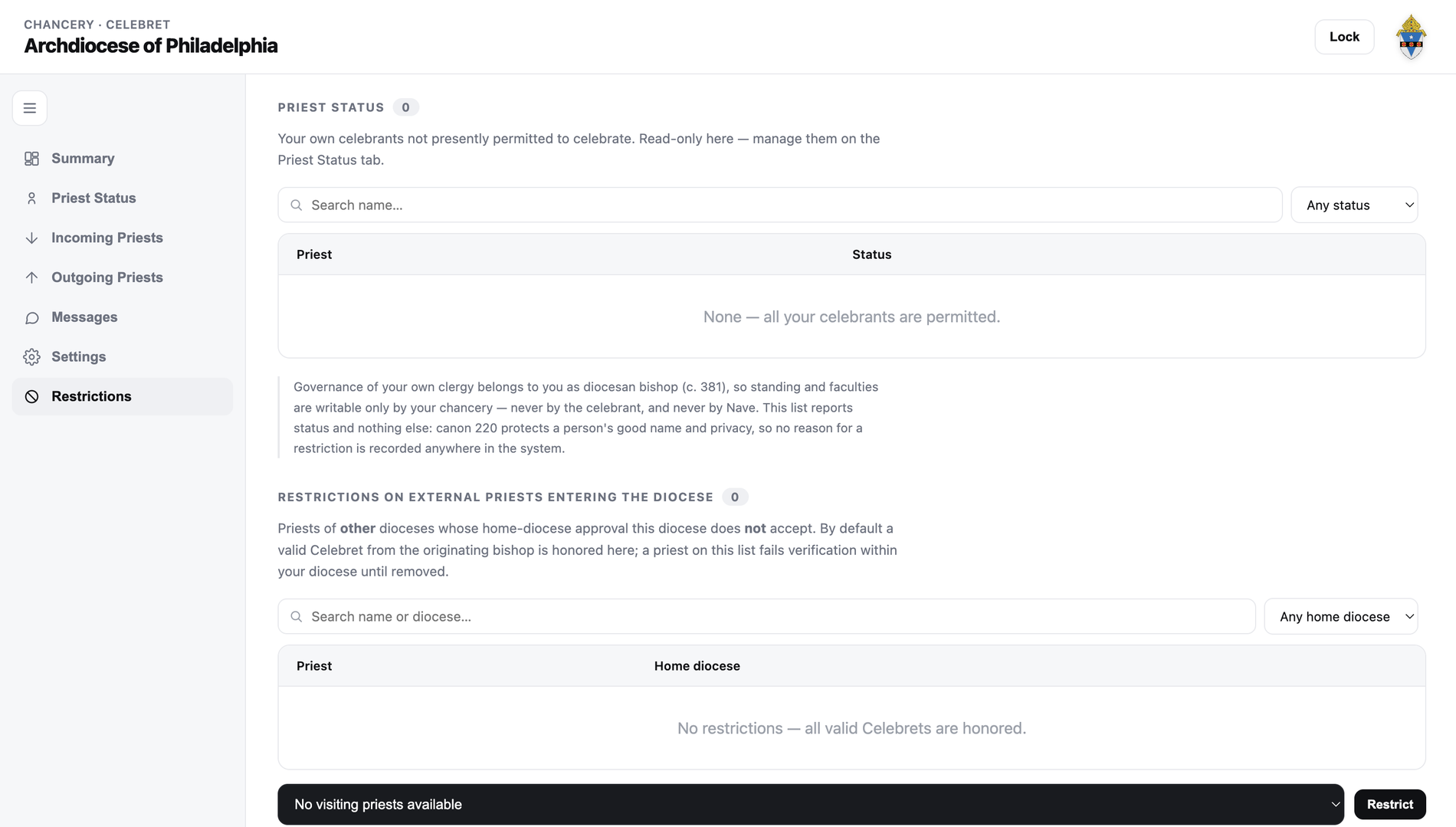
Restrictions
- Limiting your own celebrantsA priest of this diocese whose standing or faculties you have narrowed appears here. Only your chancery can see these details: the desk is behind your own password, and the table is closed to every client — no app, no browser, no signed-in user can read it.
- Everyone else is honored until you say otherwiseA valid Celebret from the originating bishop is accepted without your doing anything. The list starts empty and is expected to stay that way.
- Permitted elsewhere, not in your dioceseA priest can hold a valid Celebret from their own bishop and still not be welcome here. Name them on this list and verification refuses them inside your territory alone — the exception the law gives you (cc. 967 §2, 764, 1111). The entry records a name and a home diocese, never a reason (c. 220).
01 / 03 ← →